Translate while typing on Mac — without the copy-paste round-trip
You write in one language, the person on the other end reads another. The usual tools make you stop, select, translate, paste — for every single message. Here is how to translate while you type on a Mac, with the target language remembered per conversation and nothing leaving your machine.
Why Apple Translate and DeepL interrupt your flow
macOS already ships translation: select a sentence, right-click, choose “Translate”, read the popover, then copy the result back into your message. DeepL's Mac app is faster — press ⌘C twice on selected text and a window appears — but the shape of the workflow is the same: select, translate, paste, repeat. Both are select-then-translate tools. They were designed for reading foreign text, not for holding a conversation in one.
If you exchange thirty messages with a colleague abroad, that is thirty round-trips out of your chat window and back. Each one breaks the rhythm of the conversation — and with cloud tools, each one also sends your text to someone else's server.
Translation that follows the conversation instead
Souffleuse turns the workflow around. Instead of bringing your text to a translator, it puts a small translator next to your cursor: you pick a target language once per conversation, and from then on, whatever you type in that conversation is translated as you write, in a discreet panel by your text field. You keep typing in your own language; the translation is ready when the sentence is.
The per-conversation memory is the part that makes it livable. Your thread with a Berlin supplier stays set to German. The support inbox stays set to English. The family group chat stays set to Spanish. You never re-select a language, and you never translate the wrong message into the wrong tongue because a global setting was left on.
How to set it up
- Download Souffleuse (requires a Studio license, ~7.5 MB, notarized by Apple) and drag it into Applications. It lives in your menu bar and downloads its language model once — the only network connection it will ever make.
- Open the conversation you want to write in — Messages, Slack, Mail, your browser, almost any Mac app works.
- Choose the target language for that conversation (typing // also summons the panel). Souffleuse remembers your choice for this conversation.
- Type normally, in your language. The translation appears in a small panel as you write; take it when the sentence reads right.
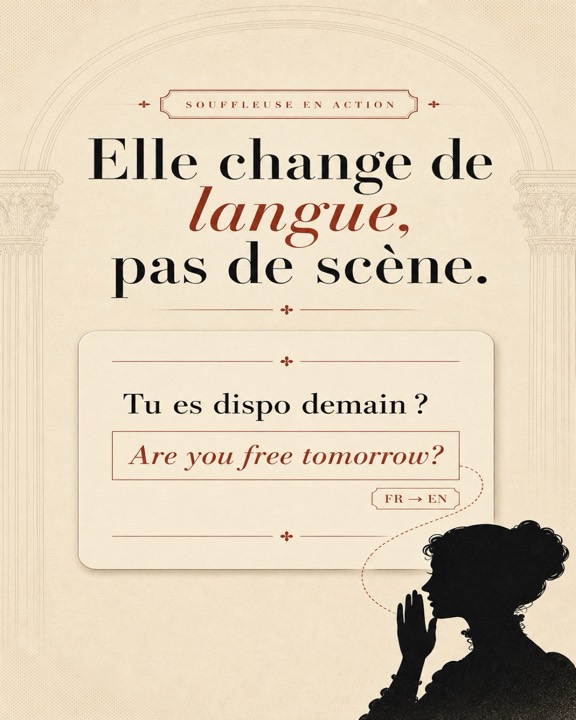
You type — « Tu es dispo demain ? »
The panel shows — “Are you free tomorrow?”
Fully on-device — so it also works offline
The translation is computed by a small language model running on your Mac's Apple Silicon chip. No text is ever sent over the internet. There is no account, no telemetry, and no server that could log what you wrote — the only connection Souffleuse ever makes is downloading its model at setup (0.4–1.5 GB depending on the model). After that it works entirely offline: in a plane, on hotel Wi-Fi you don't trust, or behind a corporate VPN that blocks translation websites. That matters more than it sounds when the messages you translate are contracts, support tickets, or family news.
Who actually uses this
- Bilingual support agents — you answer tickets in English all day but think faster in your first language. Write naturally; the English is ready beside the cursor, ticket after ticket, with the target language pinned to the inbox.
- International teams — the Slack channel with the Madrid office, the email thread with the Tokyo partner: each keeps its own language, and you stop juggling browser tabs of translators mid-standup.
- Family abroad — messaging in-laws or grandparents in a language you half-speak. You write what you mean, they receive it in theirs, and nobody's private family chat transits through a translation server.
One note on languages and the interface
Souffleuse is made in France and its interface is currently in French. The work it does, however, follows whatever language you type — its ghost-text autocomplete continues your English sentence in English, and translation works between the languages of your actual conversations. The handful of menus are simple enough that the French UI has not stopped English-speaking users so far.
Frequently asked questions
Can I translate while typing on Mac without an internet connection?
Yes. Souffleuse runs a small language model directly on your Mac's Apple Silicon chip. The only download is the model itself, once, at setup. After that, translation while you type works entirely offline — on a plane, on a train, behind a strict VPN.
Do I have to pick the target language every time?
No. You choose the target language once per conversation, and Souffleuse remembers it. Your chat with a Berlin colleague stays set to German while your family thread stays set to Spanish — each conversation keeps its own language.
Is Souffleuse available in English?
Souffleuse is made in France and its interface is currently in French, but the suggestions and translations follow whatever language you type — English included. The menus are few and easy to navigate.
While you're at it…
Translation is one of Souffleuse's roles. As you type, it also suggests the rest of your sentence in grey under the cursor (Tab to accept), can rewrite a sentence in the right tone before you hit send, and does all of it with a local language model — the same privacy story everywhere.
Try it on your next bilingual conversation
Pick the language once, type in yours, judge the result.
Download Souffleuse for MacFree download, autocomplete included. Studio (translation, tone, the // bar): one-time purchase from €29. macOS Sonoma (14) or later · Apple Silicon · ~7.5 MB · your text never leaves your Mac.